Feature capability map
Every remote-control action XimosKid supports, exactly what it does on the child device, and which billing bucket it draws from. This is the complete list — nothing here is simplified for marketing, and nothing is left out because it's less flattering.
| Feature | What it actually does | Billing |
|---|---|---|
| Screen mirroring | Live view of the child's screen in the parent app | Free seconds or balance |
| Remote touch control | Full click, swipe, and gesture control of the child's screen during an active mirroring session — not limited to simple taps | Included in mirroring session |
| Camera casting | Live front/rear camera stream | Free seconds or balance |
| Camera flip | Switch between front and rear camera mid-session | Included in camera session |
| Flashlight toggle | Turn the rear flash on/off during a live camera session | Included in camera session |
| Surrounding audio listening | One-way ambient microphone listening, available during screen or camera sessions | Balance only — requires a minimum $0.10 account balance; not covered by free bonus seconds |
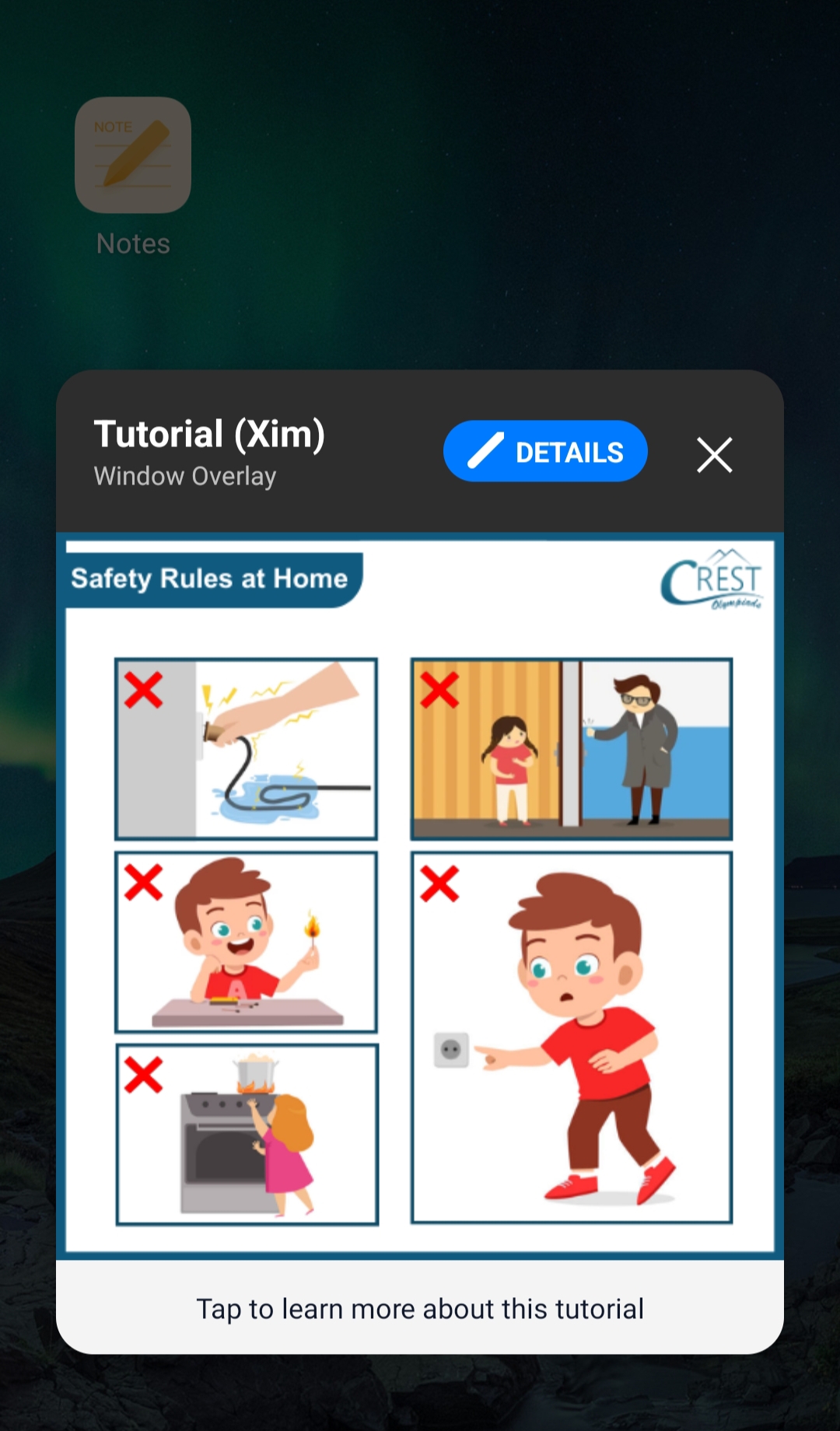
| Smart Alert | Full-screen popup dialog on the child's device with a custom image and instructions, shown until dismissed | Low-cost per send |
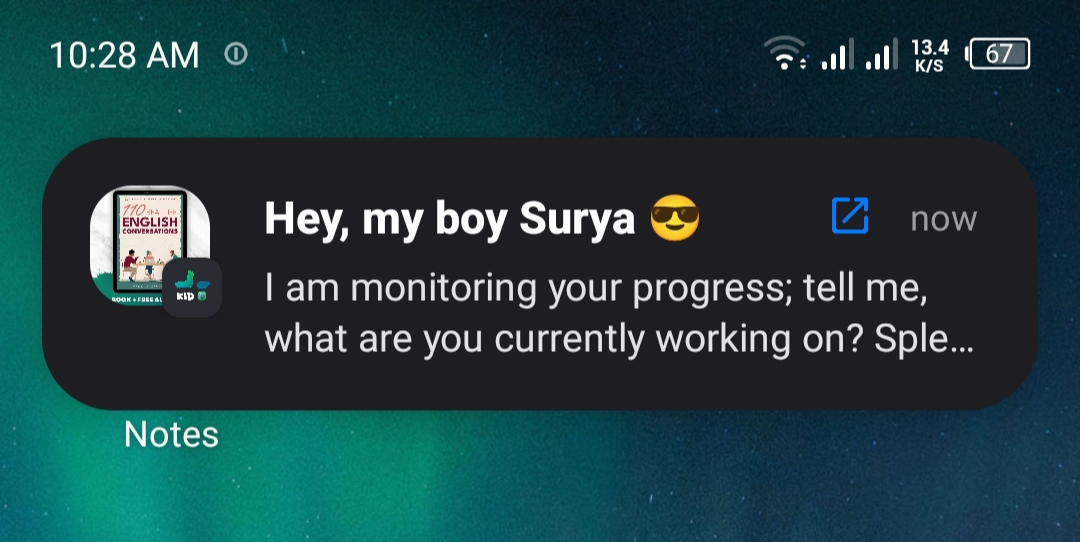
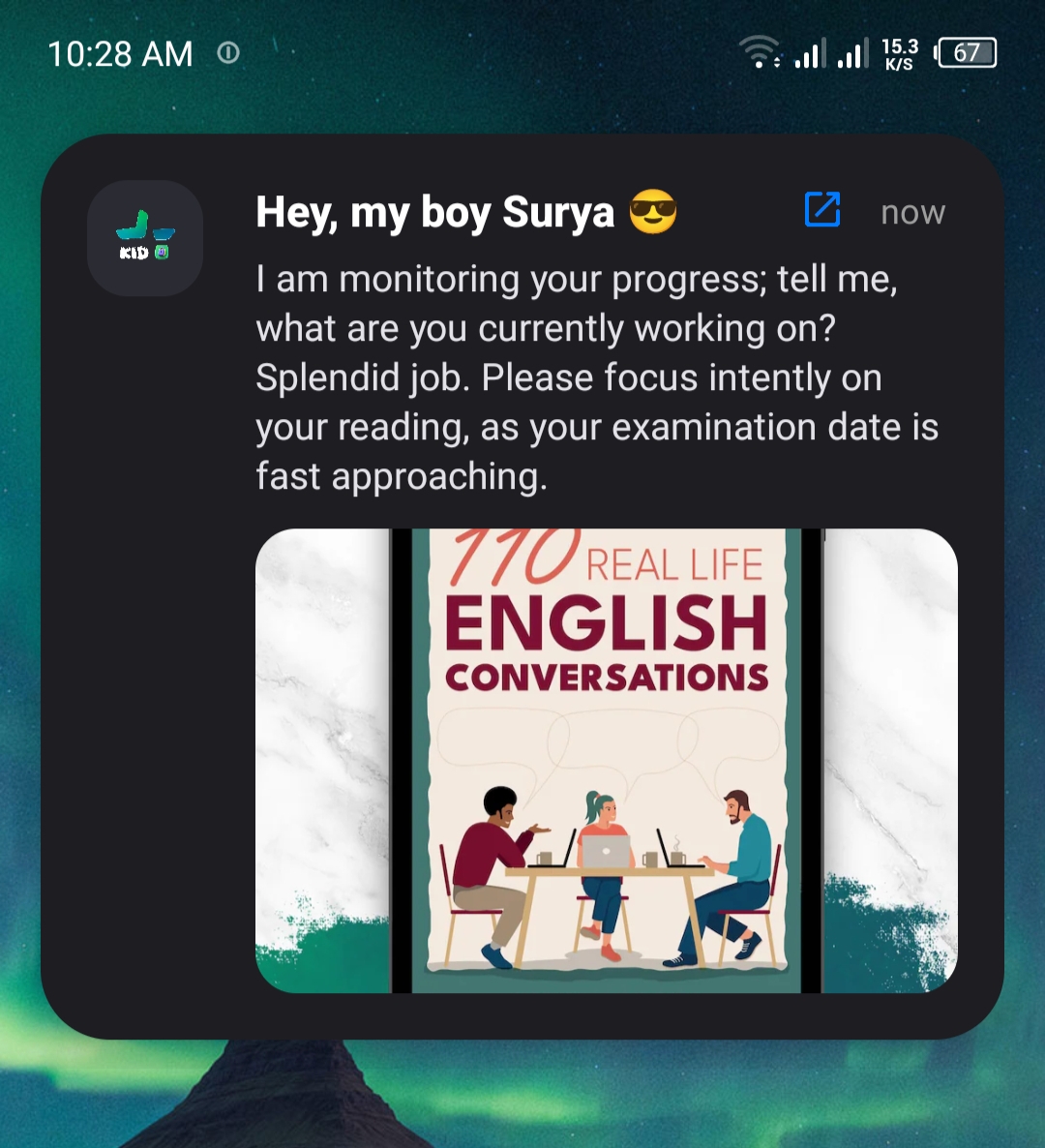
| OnScreen Notify | Custom notification (text + optional image) delivered to the child's notification shade under the XimosKid identity | Low-cost per send |
| Open App | Launches a specific app on the child's device by package name | Low-cost per send |
| Send Link | Opens a specific URL in Chrome on the child's device | Low-cost per send |
| Clipboard send | Pushes text or an image directly into the child device's clipboard, ready to paste | Low-cost per send |
| Photo / video capture | Parent-requested snapshot or clip, uploaded to the 30-day Cloud Media Vault | Free seconds or balance |
| Usage monitoring | Screen time totals, per-app open count and duration, unlock count, battery, current time, Wi-Fi/mobile data usage | Included, no extra cost |
Usage monitoring, in full
The Usages Report screen in the parent dashboard shows exactly this, and nothing more:
- • Battery level and last-synced time
- • Today's Wi-Fi and mobile data usage (MB/KB), tracked separately
- • Weekly screen-time trend, by day
- • Per-app usage duration, most-used apps first
- • Weekly Wi-Fi vs. mobile data usage chart
- • Daily phone-unlock count, by day of week
- • Current device time (for time-zone-aware reporting)
- • No app blocking, time limits, or content filtering — see the note above

Permission request flow
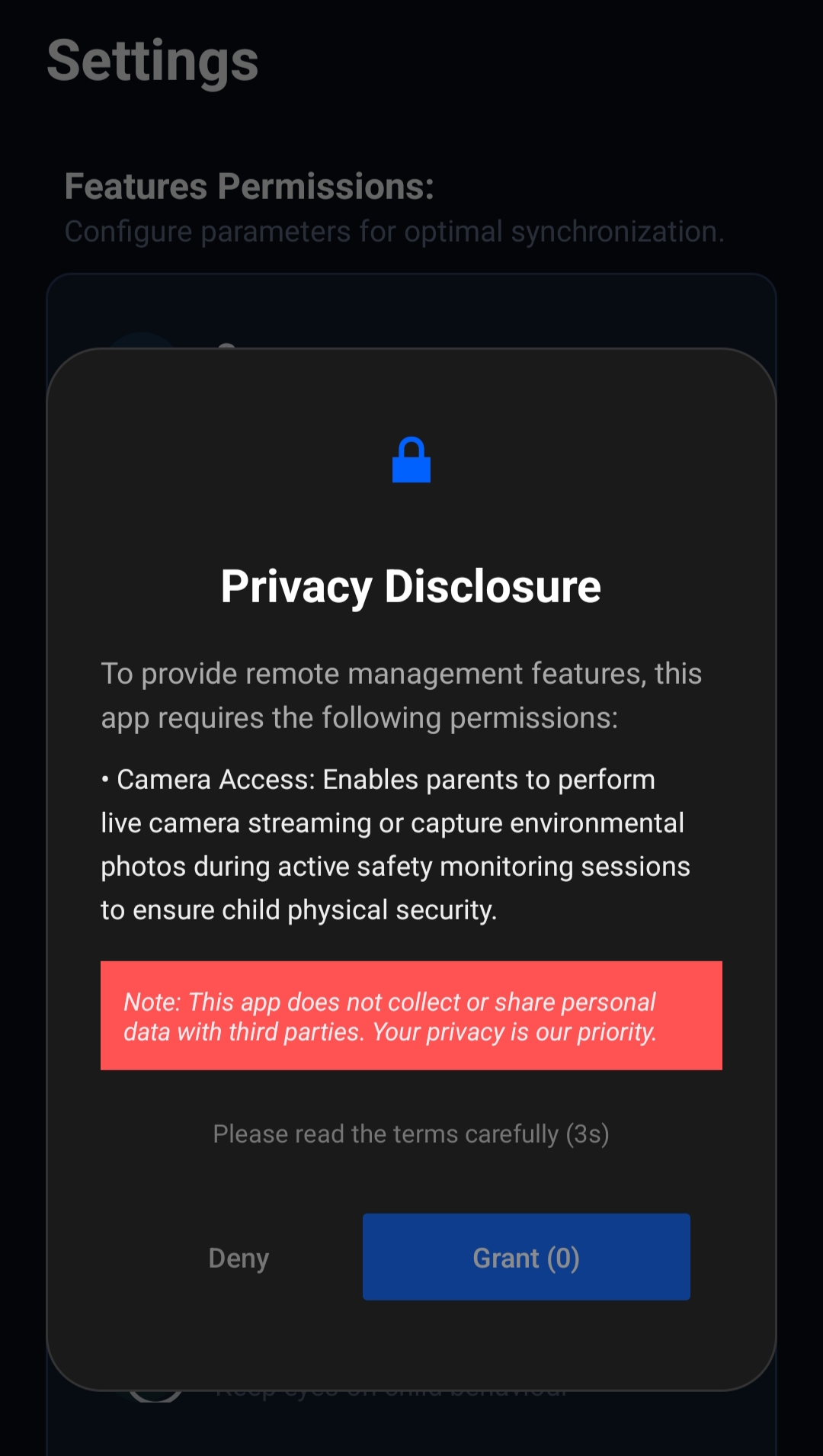
Every dangerous permission goes through the same three-step gate before the Android system dialog even appears. This is the same flow for all seven sensitive permissions XimosKid requests.
1 · Disclosure shown
A custom dialog explains, in plain language, exactly what this permission does and why it's requested — before any system prompt.
2 · Forced read delay
The "Grant" button is disabled behind a 1-second countdown so the disclosure can't be tapped through blindly.
3 · System prompt
Only after that does Android's own permission dialog appear. Denying it at this point is always respected — no repeated re-prompting loop.
Disclosure text, per permission
This is the literal string shown to the user for each permission type, straight from BackgroundService.showPermissionDisclosure().
// exact disclosure copy shown before each system permission dialog
case TYPE_CAMERA:
  details = "• Camera Access: Enables parents to perform live camera streaming or capture environmental photos during active safety monitoring sessions to ensure child physical security.";

case TYPE_AUDIO:
  details = "• Microphone Access: Allows parents to listen to ambient audio during real-time emergency or monitoring sessions for immediate safety verification.";

case TYPE_OVERLAY:
  details = "• Display Over Other Apps: Allows the app to display critical parental alerts, screen time limits, and safety warnings directly over other active applications.";

case TYPE_BATTERY:
  details = "• Battery Optimization Exclusion: Keeps background safety services, real-time sync, and emergency
             alerts active continuously, even when the device enters sleep mode.";

case TYPE_ACCESSIBILITY:
  details = "• Accessibility Service: Used exclusively for parental control features to support remote device management,
            app restriction, and safety session execution. Ximos does NOT use this service to alter
            system settings without authorization or collect private personal data.";

case TYPE_STORAGE:
  details = "• Usage Access: Required to monitor app usage and track the child's behavior,
             including which apps are used and how much time is spent on them.";

case TYPE_INSTALL:
  details = "• Install Packages: Used strictly to update internal security modules and child safety components to the latest protected version.";

case TYPE_ADMIN:
  details = "• Device Admin Permission: Used to support parental control features by helping
             prevent children from removing the app without parental awareness. This
             ensures that app settings and protections remain active unless a parent
             explicitly allows changes. The app does not lock the device or erase any data.";


tvDetails.setText(details);
if (!isAvailable.equals("1p0p")) {
  new CountDownTimer(1000, 1000) {
    @Override
    public void onTick(long millis) {
      int sec = (int) (millis / 1000);
      btnGrant.setText("Grant (" + sec + ")");
      btnGrant.setEnabled(false);
      btnGrant.setAlpha(0.5f);
    }

    @Override
    public void onFinish() {
      btnGrant.setText("Grant Permission");
      btnGrant.setEnabled(true);
      btnGrant.setAlpha(1.0f);
      tvCountdownInfo.setText("Please review and proceed.");
    }
  }.start();
} else {
  btnGrant.setText("Grant Permission");
  btnGrant.setEnabled(true);
  btnGrant.setAlpha(1.0f);
  tvCountdownInfo.setText("Please review and proceed.");
}

btnDeny.setOnClickListener(v -> dialog.dismiss());

btn_unlock_settings.setOnClickListener(
  v -> openAppListSettings(this)
);

Requesting the permission
After disclosure and the countdown, each permission type routes to the standard Android API for that permission — nothing custom, nothing hidden.
private void executeActualPermissionRequest(int type) {
  switch (type) {
    case TYPE_CAMERA:
      ActivityCompat.requestPermissions(this,
        new String[]{Manifest.permission.CAMERA}, 101);
      break;

    case TYPE_AUDIO:
      ActivityCompat.requestPermissions(this,
        new String[]{Manifest.permission.RECORD_AUDIO}, 102);
      break;

    case TYPE_ACCESSIBILITY:
      Intent intentAcc = new Intent(Settings.ACTION_ACCESSIBILITY_SETTINGS);
      startActivity(intentAcc);
      break;

    case TYPE_STORAGE:
      UsageStatsManager usageStatsManager =
        (UsageStatsManager) getSystemService(Context.USAGE_STATS_SERVICE);
      long endTime = System.currentTimeMillis();
      long startTime = endTime - 1000 * 60 * 60 * 24;
      if (usageStatsManager.queryUsageStats(
            UsageStatsManager.INTERVAL_DAILY, startTime, endTime).isEmpty()) {
        Intent intent = new Intent(Settings.ACTION_USAGE_ACCESS_SETTINGS);
        startActivity(intent);
      }
      break;

    case TYPE_ADMIN:
      DevicePolicyManager dpm = (DevicePolicyManager) getSystemService(Context.DEVICE_POLICY_SERVICE);
      ComponentName adminComponent = new ComponentName(this, XimosAdminReceiver.class);
      if (!dpm.isAdminActive(adminComponent)) {
        Intent intent = new Intent(DevicePolicyManager.ACTION_ADD_DEVICE_ADMIN);
        intent.putExtra(DevicePolicyManager.EXTRA_DEVICE_ADMIN, adminComponent);
        intent.putExtra(DevicePolicyManager.EXTRA_ADD_EXPLANATION,
          "This permission helps protect parental control settings from being removed
           without parental approval.");
        startActivity(intent);
      }
      break;
  }
}
Full file: github.com/ximexa/ximos-offical-releases
How a stream session starts and stops
Every stream type (camera, screen, recording) listens on a single Firebase Realtime Database flag. Turning it off from either side tears the session down immediately — there's no separate "force stop" path an attacker could bypass.
// simplified from BackgroundService — screen cast listener
Boolean isScreenCast = snapshot.getValue(Boolean.class);
if (!Boolean.TRUE.equals(isScreenCast)) {
  safeHandler.removeCallbacksAndMessages(null);
  AdminMonitor.getInstance().stopMonitoring();
  stopAllActiveServices();  // same teardown path for every feature
  return;
}

// debounce guards against rapid duplicate Firebase events
long currentTime = System.currentTimeMillis();
if (currentTime - lastScreenCastStateTime < DEBOUNCE_TIME) { return; }
lastScreenCastStateTime = currentTime;

// overlay permission is re-checked at session start, every time —
// not cached from a previous grant
if (!Settings.canDrawOverlays(getApplicationContext())) {
  dbRef.child("isScreenCast").setValue(false);
  dbRef.child("action").setValue("missing_permission_overlay");
  return;
}

// cooldown prevents rapid session re-triggering / command flooding
long now = System.currentTimeMillis();
if (now - lastMediaCommandTime < MEDIA_COMMAND_COOLDOWN) {
  dbRef.child("action").setValue("Cooling..");
  safeHandler.postDelayed(() -> dbRef.child("action").setValue("idle"), 3500);
  return;
}
lastMediaCommandTime = now;
stopAllActiveServices();  // only one stream type runs at a time
Accessibility service scope
The Accessibility Service is the permission most worth being precise about, since it's powerful by design. In XimosKid it backs exactly two behaviors:
| Behavior (MobSF rule) | What it does |
|---|---|
| Perform accessibility action on node info | Executes a remote-touch tap/gesture sent by the parent during an active screen-cast session |
| Get node info by text | Locates an on-screen element by its visible label so a remote-touch command can target it accurately |
Both are scoped to MyAccessibilityService and are only exercised while a screen-cast session is active and a parent is issuing a remote-touch command — not continuously, and not to read content from unrelated apps in the background.
Connection & presence handling
XimosKid tracks whether the parent is actually connected, and reacts if that connection drops mid-session — this prevents a stream from being left silently running if the parent's app crashes or loses network.
// admin (parent) session-state listener
if ("offline".equals(state)) {
  if (sessionStateRef != null) {
    sessionStateRef.setValue("disconnected");
  }
  stopAllActiveServices();  // no session survives an offline parent
  safeHandler.postDelayed(() -> { if (!isRefreshing) stopSelf(); }, 1000);
}

// Firebase's own ".info/connected" hook — fires on any network change
if (connected) {
  userRef.child("sessionState").onDisconnect().setValue("disconnected");
  userRef.child("last_active").onDisconnect().setValue(ServerValue.TIMESTAMP);
  userRef.child("sessionState").setValue("connected");
}
The onDisconnect() hooks are registered with Firebase itself, so the "disconnected" state gets written even if the child device loses network ungracefully — it doesn't rely on a clean app shutdown to happen.
API security
Every request to an endpoint like /device/{id} or /camera/{id} answers one question server-side: is this parent actually the authorized guardian of this device? That check is layered, not single-factor:
- • Firebase auth token
- • Per-request JWT
- • Timestamp + replay protection
- • Device unique ID + device key
- • Google Play Integrity token
- • App secret
- • HTTPS-only, CORS-restricted
- • Rate limiting + input sanitization
Endpoint map
A representative view of how endpoints are namespaced — every one below requires the full authentication stack above, not just a valid login token.
| Endpoint pattern | Purpose | Guardian check |
|---|---|---|
| /user/{id} | Account profile read/update | Required |
| /device/{id} | Paired-device metadata, pairing/unpairing | Required |
| /camera/{id} | Start/stop camera session | Required |
| /screen/{id} | Start/stop screen-cast session | Required |
| /vault/{id} | Cloud Media Vault list/download/delete | Required |
Web dashboard security headers
Content-Security-Policy:   restricts script/style/frame sources
Strict-Transport-Security: forces HTTPS on every future request
X-Content-Type-Options:    nosniff
Referrer-Policy:           strict-origin-when-cross-origin
Permissions-Policy:        disables unused browser APIs
Frame-Ancestors:           'none' — blocks clickjacking via iframe
Key dependencies
| Library | Purpose | Notes |
|---|---|---|
| org.webrtc / libjingle_peerconnection | Peer-to-peer streaming engine | NX, PIE, stack canary, full RELRO on all four native ABI builds |
| Firebase (Auth, Realtime DB, FCM) | Signaling, auth tokens, push | Remote Config explicitly disabled server-side |
| Glide | Image loading for dashboard/gallery | Standard, widely-used Android image library |
| ZXing (journeyapps) | QR-based pairing option | Open-source barcode scanner |
| MPAndroidChart | Usage-time charts in the parent dashboard | Rendering only, no data collection of its own |
| OkHttp / Okio | Network layer for uploads and API calls | Underlies the HTTPS-only API requirement |
Full SBOM and dependency vulnerability scanning results are tracked alongside each release on GitHub.
Changelog
XimosKid: WebRTC screen & camera casting, Cloud Media Vault (30/7-day retention), on-screen priority alerts, Accessibility-based remote touch.
Ximos: pay-as-you-go billing, referral credit system, dashboard redesign.
Pairing-key expiry & attempt lockout, SOS trigger, live location — tracked on the Community page.