Principles
Least privilege
Only the permission a feature needs, requested at the moment it's needed — not bundled on install.
Encryption by default
Live streams travel peer-to-peer over encrypted WebRTC (DTLS-SRTP). All API calls are HTTPS-only.
Minimal retention
Three fields server-side, full stop. Live media and location payloads never touch our servers at all.
Guardian authorization
Every sensitive endpoint verifies the requesting parent actually owns the target device before acting.
Visible monitoring
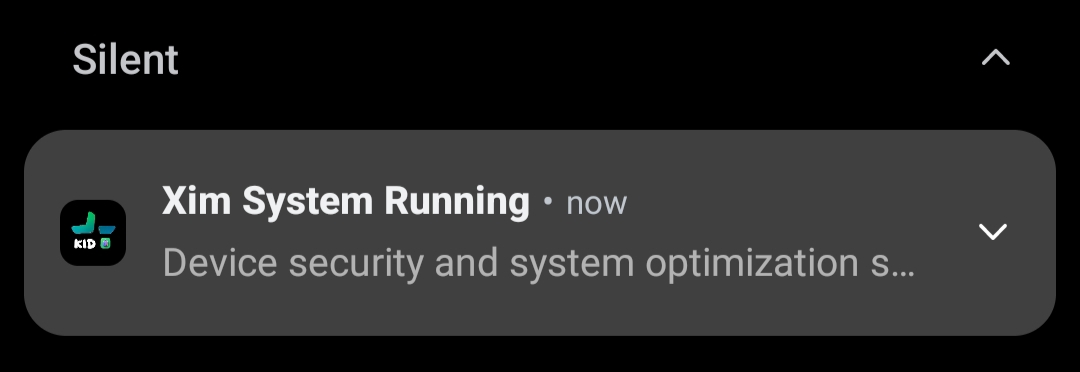
A persistent, non-dismissable notification runs on the child device whenever monitoring is active.
No absolute claims
No system can guarantee perfect security. We show findings, including open ones, instead of promising perfection.
Our zero-trust data policy
Most parental-control apps collect broadly — contacts, call logs, full location history, browsing history — because more data feels like more value. Ximos deliberately went the other way: the database is designed so that even a full server breach would expose almost nothing useful about any individual user.
This does mean XimosKid requests permissions that look intimidating on paper — camera, microphone, location, Accessibility, Device Admin, usage access. Those permissions are real and sensitive, and each one is documented below with exactly what it's used for and what it's explicitly not used for. The difference between "sensitive permission" and "surveillance app" isn't the permission list — it's whether that access is authenticated, auditable, and disclosed.
How a live session actually works
The signaling server's only job is to help two devices find each other. It never sees the camera, screen, or audio content — that travels directly between devices over WebRTC.
exchanges connection info only — never touches media, never stores the stream
WebRTC SDP handshake via STUN/TURNA TURN server is used as a fallback relay only when a direct peer-to-peer path can't be established (for example, across restrictive mobile carrier NATs). Even in that fallback path, the WebRTC transport stays end-to-end encrypted between the two devices — the TURN relay forwards encrypted packets, it does not decrypt them.
Location relay — separate path, same encryption posture
Location tracking does not use WebRTC — it travels over a separate authenticated WebSocket relay hosted on Cloudflare Workers, isolated per user-device room via a Durable Object keyed to uid + deviceKey. The Cloudflare Worker verifies the Firebase ID token server-side against Google's public JWKS before allowing any broadcast. Location payloads are pushed to the connected parent in real time and are not retained on Ximos servers beyond the in-flight relay.
Data we store, by sensitivity
| Level | Data | Where it lives | Retention |
|---|---|---|---|
| Critical | Live camera, mic, screen | Never touches our servers — peer-to-peer only | Not stored, ever |
| Critical | Live location payload (lat/lng/accuracy/provider/timestamp) | Relayed in-flight through Cloudflare WebSocket — never persisted | Not stored, ever |
| Sensitive | Captured photos / recorded clips (Cloud Media Vault) | Cloud object storage | 30 days, then 7-day trash window, then permanent delete |
| Personal | Account email, device unique ID, device brand name | Ximos database | Until account deletion |
| Technical | App version, OS version, session/connection state | Ximos database | While session/account is active |
That's the complete list — there is no sixth category. We don't build advertising profiles from stream content or location, sell data to third parties, or keep a copy of live sessions after they end. Notifications, Smart Alerts, on-screen toasts, clipboard sends, and remote URL/app-open commands are one-shot, serverless commands from parent to child — they aren't logged in a database at all.
Encryption — what's actually implemented
In transit
- • All API traffic over HTTPS/TLS
- • Live screen/camera/audio over WebRTC, which mandates DTLS-SRTP encryption between peers
- • Location relay over an encrypted Cloudflare WebSocket, JWT-verified server-side against Google JWKS
- • Camera-cast control commands (zoom, focus) travel over a P2P WebRTC Data Channel — encrypted by the same DTLS transport, never routed through any server
- • Pairing keys exchanged only over the authenticated API — never in plaintext links
- • Firebase Realtime Database connections use Google's standard TLS transport
At rest
- • Cloud Media Vault files are stored with our storage provider's server-side encryption
- • Only three low-sensitivity fields sit in our own database (see table above)
- • Live location payloads are never written to disk on any server
- • We don't yet publish a customer-facing key-rotation schedule — tracked on the roadmap
Conceptual key-management flow (where applicable)
XimosKid permissions, in full
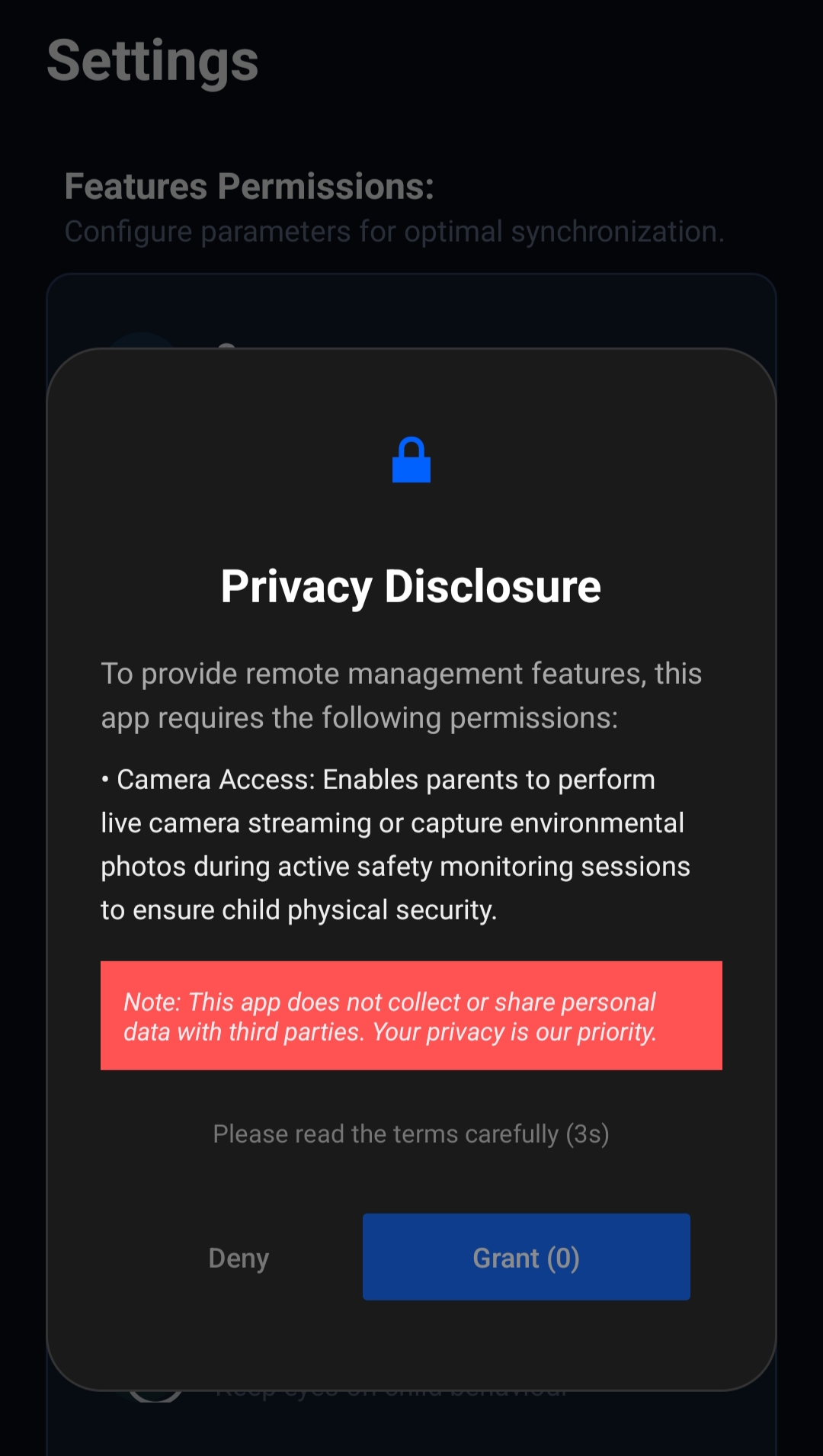
Every permission is requested one at a time, with an in-app disclosure explaining it in plain language — shown before the Android system dialog, with a short forced-read delay so it can't be tapped through blindly.
| Permission | Type | Used for | What it is NOT used for |
|---|---|---|---|
| CAMERA | Dangerous | Remote camera sessions started by a parent, including mid-session flip, flashlight toggle, Smart Zoom and Smart Focus | Background capture without an active, parent-initiated session |
| RECORD_AUDIO | Dangerous | One-way Surrounding Audio listening (standalone feature), plus two-way audio inside a Camera Cast session. Draws from free bonus seconds or balance; sessions over 60 s get a 10-second billing discount. | Continuous background recording |
| ACCESS_FINE_LOCATION ACCESS_COARSE_LOCATION | Dangerous | Parent-triggered remote live location. Fetched only when the parent taps refresh — no continuous collection. GPS auto-enable uses the Accessibility Service to accept the system dialog. | Background location tracking, location history, or any collection outside a parent-triggered fetch |
| SYSTEM_ALERT_WINDOW | Dangerous | On-screen toast/priority alerts, remote-touch overlay | Ad injection or UI spoofing |
| BIND_ACCESSIBILITY_SERVICE | Signature | Remote-touch gestures during an active screen session; auto-accept of the system GPS-enable dialog during a parent-triggered location fetch | Reading input from other apps outside a session, or any use outside the two documented behaviors |
| PACKAGE_USAGE_STATS | Signature | App usage-time reporting to the parent dashboard | Reading in-app content of other apps |
| Device Admin | — | PIN-gated uninstall protection | Remote wipe or device lock — not implemented |
| REQUEST_INSTALL_PACKAGES | Dangerous | Self-updating XimosKid to the latest signed build | Installing any other package |
| READ_MEDIA_IMAGES / READ_MEDIA_VIDEO | Dangerous | Uploading a parent-requested capture to the Cloud Media Vault | Bulk-scanning the existing photo library |
| POST_NOTIFICATIONS | Dangerous | Showing the persistent "monitoring active" notification itself | Marketing or ad notifications |
| FOREGROUND_SERVICE (+ camera/microphone/mediaProjection/location types) | Normal | Keeping an active session alive and declared to the OS, per Android 14+ requirements | Hiding what type of foreground work is running |
| REQUEST_IGNORE_BATTERY_OPTIMIZATIONS | Normal | Preventing the OS from killing the monitoring service mid-session | Draining battery outside an active session |
This table covers permissions only. For the full list of remote-control features (Smart Alert, OnScreen Notify, clipboard send, camera flip/flashlight, Smart Zoom, Smart Focus, Location Tracking, and what each one costs), see the Feature capability map in the Docs.
Location privacy, in plain terms
Location is the newest sensitive data type Ximos handles, so it gets its own section rather than being folded into the general permissions table.
How a fetch is triggered
- • Parent taps refresh in the Ximos app or dashboard
- • WS connect first, then the get_location command is written to Firebase
- • Kid device returns one lat/lng/accuracy payload through a multi-stage fetch (cached + fresh in parallel)
- • No polling. No background scheduled fetches.
What's never retained
- • No location history table exists on our servers
- • No location trail is stored per device
- • No location is included in the three low-sensitivity fields (email / device ID / brand)
- • Live payloads expire with the WebSocket broadcast — never written to disk
Icon hiding & the persistent notification
This is the part of Ximos most likely to raise a fair question, so it's documented directly instead of glossed over.
What's true
- • A parent can optionally hide the XimosKid launcher icon on the child's device.
- • While the icon is hidden — and at every other time any monitoring feature is active — a foreground notification is always present and cannot be dismissed.
- • A hidden dial code can restore the icon at any time, from the child's device itself.
- • With the icon visible (the default), the app also shows under its own name, "XimosKid," in the device's app list and notification shade.
Device pairing
Pairing securely links the parent's account to a specific physical device. XimosKid uses an automatic QR scan to complete the login and pairing process, so no 6-digit pairing key needs to be entered manually.
1 · Install
XimosKid is installed on the child device and the required Accessibility & Notification permissions are granted.
2 · Scan QR
The parent opens the pairing screen and displays the generated QR code. The child device automatically scans the QR code to identify and authenticate the pairing request.
3 · Connected
Once the QR scan is verified, the parent account is linked to the physical device and the connection status is established automatically.
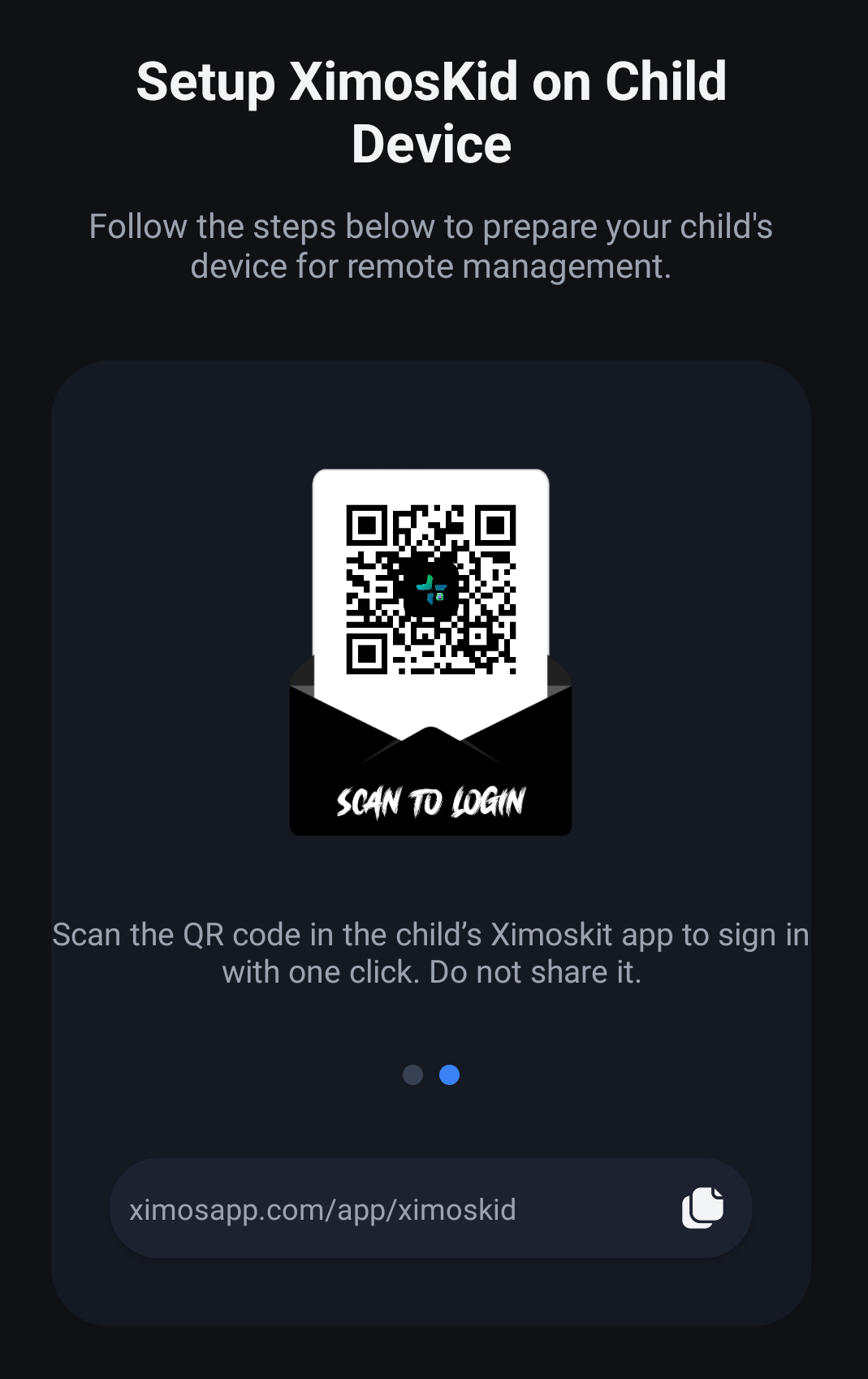
Automatic pairing: The QR-based flow is designed to keep setup simple while linking the authorized parent account with the intended physical device. No manual pairing key entry is required.
Account security
A compromised parent account is the highest-impact single failure in this whole system, since it can reach every paired device on it. Current and planned protections:
In place today
- • Firebase-backed authentication with hashed credentials
- • Short-lived access tokens, refreshed rather than long-lived
- • Every sensitive API call re-verified server-side, not just checked once at login
- • Location relay requests verified with the same JWT + JWKS pipeline as signaling
Roadmap
- • Optional passkey / 2FA for parent accounts
- • Login notifications and suspicious-login detection
- • "Log out of all devices" control in account settings
Retention & deletion
Cloud Media Vault — 30 / 7 policy
Captured photos/clips auto-delete 30 days after capture, move to a 7-day trash window, then are permanently wiped by an automated job — no manual step, no warning email at delete time. Users are warned the first time they use the feature to download anything they want to keep.
Location payloads — zero retention
Location data exists only as long as the in-flight WebSocket broadcast to the connected parent. It is not written to a database, not logged, and not retrievable after the fetch completes.
Account deletion
Deleting your Ximos account removes your profile, paired devices, pairing records, vault media, and usage data. You'll see a confirmation — "Your deletion request has been completed." — once it's processed, and the action is permanent.
One-shot commands
Notifications, Smart Alerts, OnScreen Notify, clipboard sends, Open App, and Action URL commands are serverless and are not logged in a database. Once delivered, no server record exists.
Abuse prevention
Ximos is built and licensed for authorized parental supervision of minors in the account holder's care. Our Terms of Use explicitly prohibit:
Full terms: ximosapp.com/uno/#terms-of-use
Independent verification
Both APKs are scanned with MobSF (Mobile Security Framework), an open-source static-analysis tool used across the Android security community — so you don't have to take our word for it. Reports were also cross-checked against VirusTotal's multi-engine scan.
Ximos (parent app)
64/100 · Grade A| Package | com.ximexa.ximos |
| Version | 1.0.5 (code 10005) |
| High / Medium / Info findings | 0 / 8 / 2 |
| Signature | v3, RSA 2048 |
| SHA-256 | 796851ff…de9388 |
XimosKid (child app)
58/100 · Grade B| Package | com.droid.ximexa |
| Version | 1.0.5 (code 10005) |
| High / Medium / Info findings | 0 / 14 / 2 |
| Signature | v3, RSA 2048 |
| SHA-256 | d1ca3b08…f3cb571 |
Native library hardening (both apps, all architectures)
Open findings we're addressing (not hiding)
| Finding | App | Severity | Status |
|---|---|---|---|
| Backup flag allows adb backup of app data | Ximos | Warning | Roadmap |
| Some exported receivers lack explicit permission checks | Both | Warning | Roadmap |
| SHA-1 used in one code path | XimosKid | Warning | Roadmap |
| Non-cryptographic random number generator in one code path | Both | Warning | Roadmap |
| App can read/write external storage | Both | Warning | Roadmap |
| Temp files created during barcode/QR pairing scans | Both | Warning | Roadmap |
| Legacy library code paths reference IMSI/SMS APIs, unused by any shipping feature | XimosKid | Warning | Scheduled for removal |
| Anti-emulator (Build.MANUFACTURER/HARDWARE) checks present in compiled code | Both | Info | Under review |
Scanned Sept 4, 2026 with MobSF v4.5.2. We'll re-run and update this table with each release.
Subprocessors & infrastructure
Services XimosKid and Ximos communicate with in normal operation, as observed in independent network analysis:
| Provider | Role |
|---|---|
| Google Firebase | Authentication, Realtime Database (signaling + command flags), push notifications |
| Cloudflare (Pages / Workers / Durable Objects) | Website hosting, edge functions, and the WebSocket relay that carries stream signaling, usage data, and in-flight location payloads — isolated per user-device room via Durable Objects, JWT verified server-side against Google JWKS |
| Google Play Services (Fused Location) | High-accuracy location fix on the kid device during a parent-triggered fetch |
| Esri ArcGIS Online | Free map tiles for the parent app location view — Street (World Street Map) and Satellite (World Imagery). No API key required. |
| OpenStreetMap | Free classic OSM map tiles used as the third selectable map style in the parent app |
| ImageKit | Cloud Media Vault image storage and delivery |
| Render | Child usage-state backend service |
| GitHub | Public source releases |
No communication with OFAC-sanctioned regions was found in the analyzed builds.
Version history
| Version | App | Highlights |
|---|---|---|
| 1.0.5 | Both | Location Tracking (multi-stage fetch, GPS auto-enable via Accessibility Service, Fused → Network → last-known → IP fallback); Smart Zoom & Smart Focus for Camera Cast over a WebRTC Data Channel; Surrounding Audio Listening with 5-tier adaptive bitrate and PCM-driven waveform UI; free OSM map in the parent app (Street / Satellite / OSM) with no Google Maps API key |
| 1.0.3 | XimosKid | WebRTC screen & camera casting, Cloud Media Vault (30/7-day retention), on-screen priority alerts, Accessibility-based remote touch, photo/video capture in 2K |
| 1.0.2 | Ximos | Pay-as-you-go billing, referral credits, redesigned dashboard — initial public release of both apps |
| In development | Both | SOS trigger, fast file share between two phones |
| Planned | Both | Screen/app time limits, bedtime restrictions, pairing rate-limiting, optional app blocking & content/keyword filtering (exploring only) |
Report a vulnerability
If you believe you've found a security issue in Ximos or XimosKid, please report it responsibly before disclosing publicly.
Please include:
- • Affected app and version
- • Description and reproduction steps
- • Potential impact
- • Supporting evidence (logs, screenshots)
No system can guarantee absolute security. Ximos works continuously to reduce risk through encryption, access controls, data minimization, transparency, and testing — and updates this page as that work progresses. Related reading: technical docs, about Ximos, community & disclosure.